Webhooks
Open Settings > Webhooks. Webhooks let external systems react to events without polling.
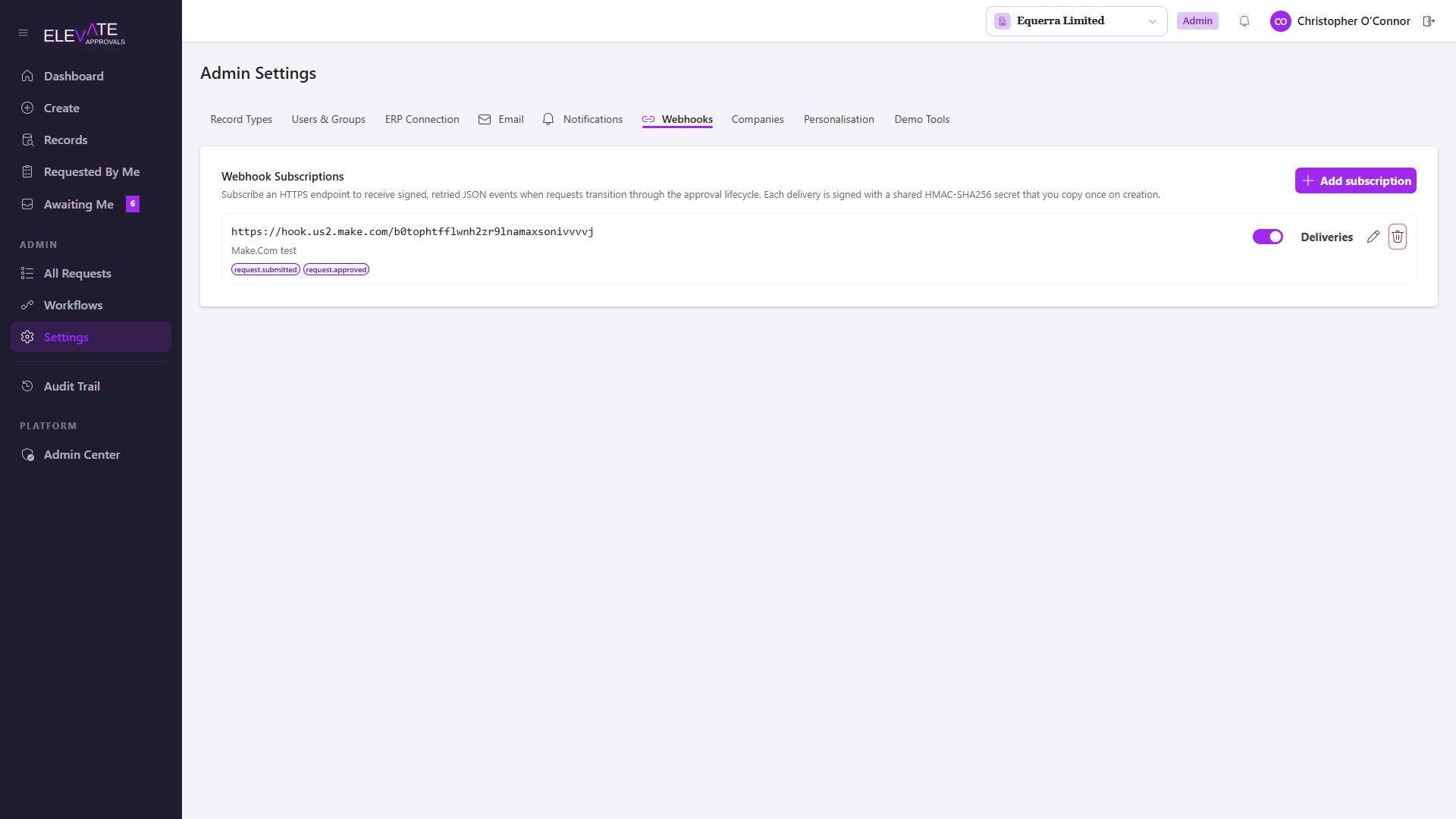
Configure a subscription
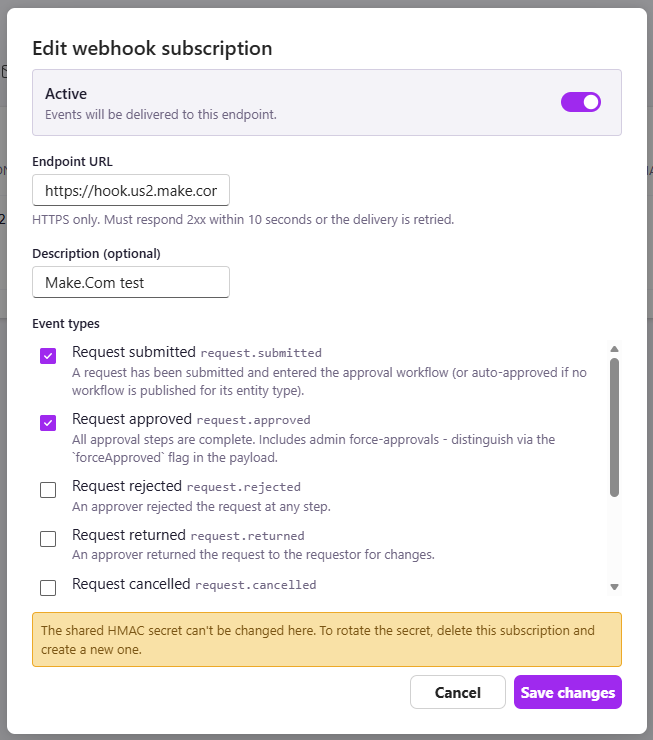
For each subscription:
- Provide a target URL.
- Pick which events to subscribe to.
- The system generates a secret. Save it. The secret is shown once and cannot be retrieved later.
Signing
Every delivery is signed with HMAC-SHA256. The signature is sent in the X-Elevate-Signature header in the format sha256=<hex>.
Verify the signature on your side before trusting the payload. Compute HMAC-SHA256 of the raw request body using your secret, hex-encode it, prefix with sha256=, and compare against the header using a constant-time comparison.
Retries and dead-letter
Failed deliveries are retried with exponential backoff and eventually moved to the dead-letter list, which you can replay from this screen.
A delivery is considered failed if the target returns a non-2xx status, times out, or closes the connection before responding.
Testing
Subscribe at least one webhook to a low-traffic test endpoint when first turning automation on. Watch deliveries succeed before you build downstream logic on top.