ERP Connection
Open Settings > ERP Connection.
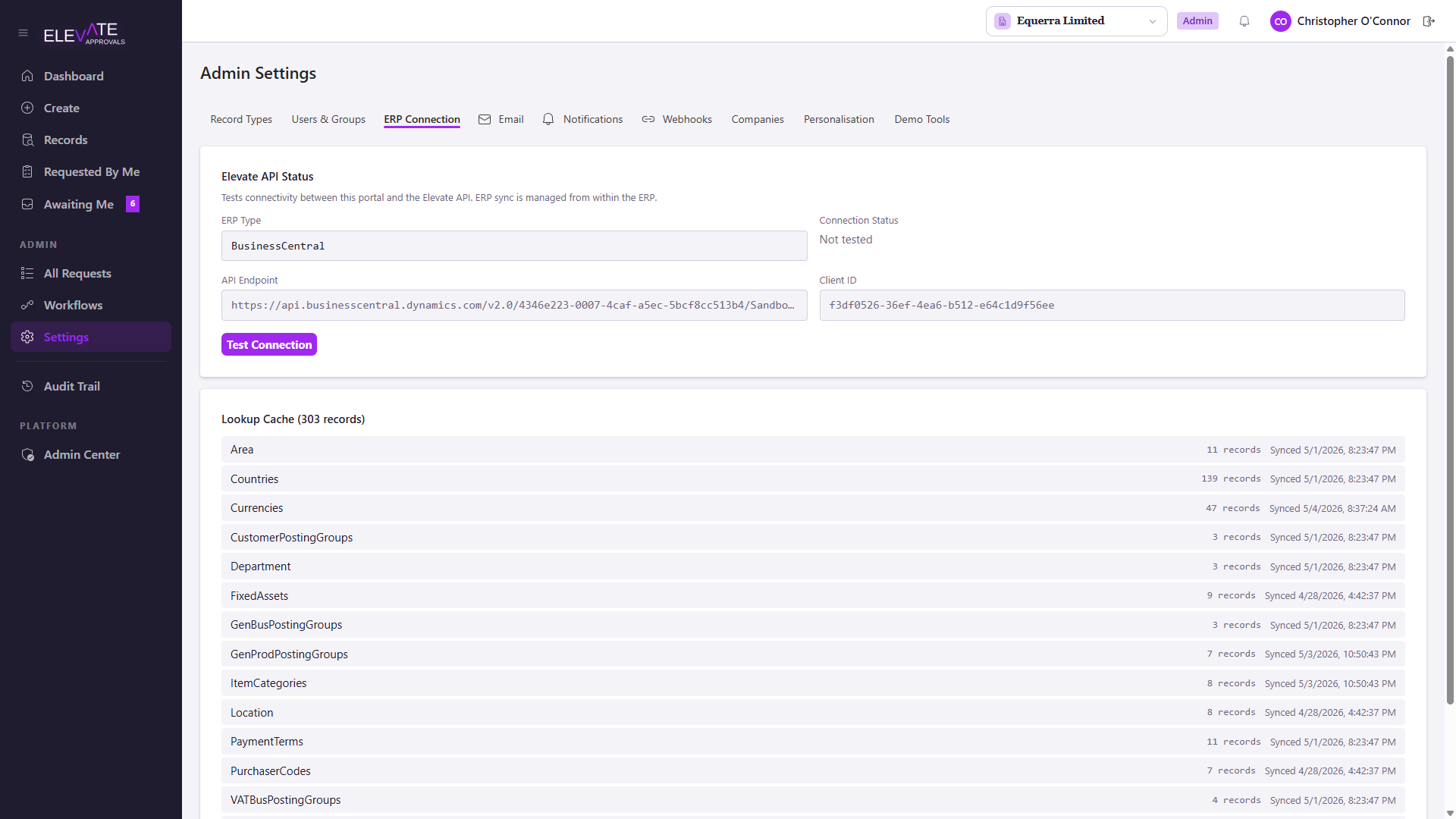
This screen is read-only and informational. The portal does not initiate calls into your ERP; the connector running inside Business Central is the side that pushes and pulls data. All real configuration for the BC connection (endpoint, authentication, scheduling) is done in BC itself. See Connecting Business Central.
What the screen shows
- ERP Type: which connector flavour your tenant is configured for (today: Business Central).
- API Endpoint: the URL the connector should be pointed at from BC.
- Client ID: the application id of the Entra app registration the connector uses to authenticate.
- Connection Status: the result of the most recent test run. Choose Test Connection to ping the API from the portal; this is just a connectivity check and does not call BC.
Lookup cache summary
Below the status card you will see a lookup cache summary: which lookup sources have been pushed by BC, how many records are cached for each, and when each was last synced.
If a list looks stale, ask a BC administrator to re-run the relevant push from the BC connector's Setup page.