Companies
If your tenant runs more than one legal entity, open Settings > Companies to add them.
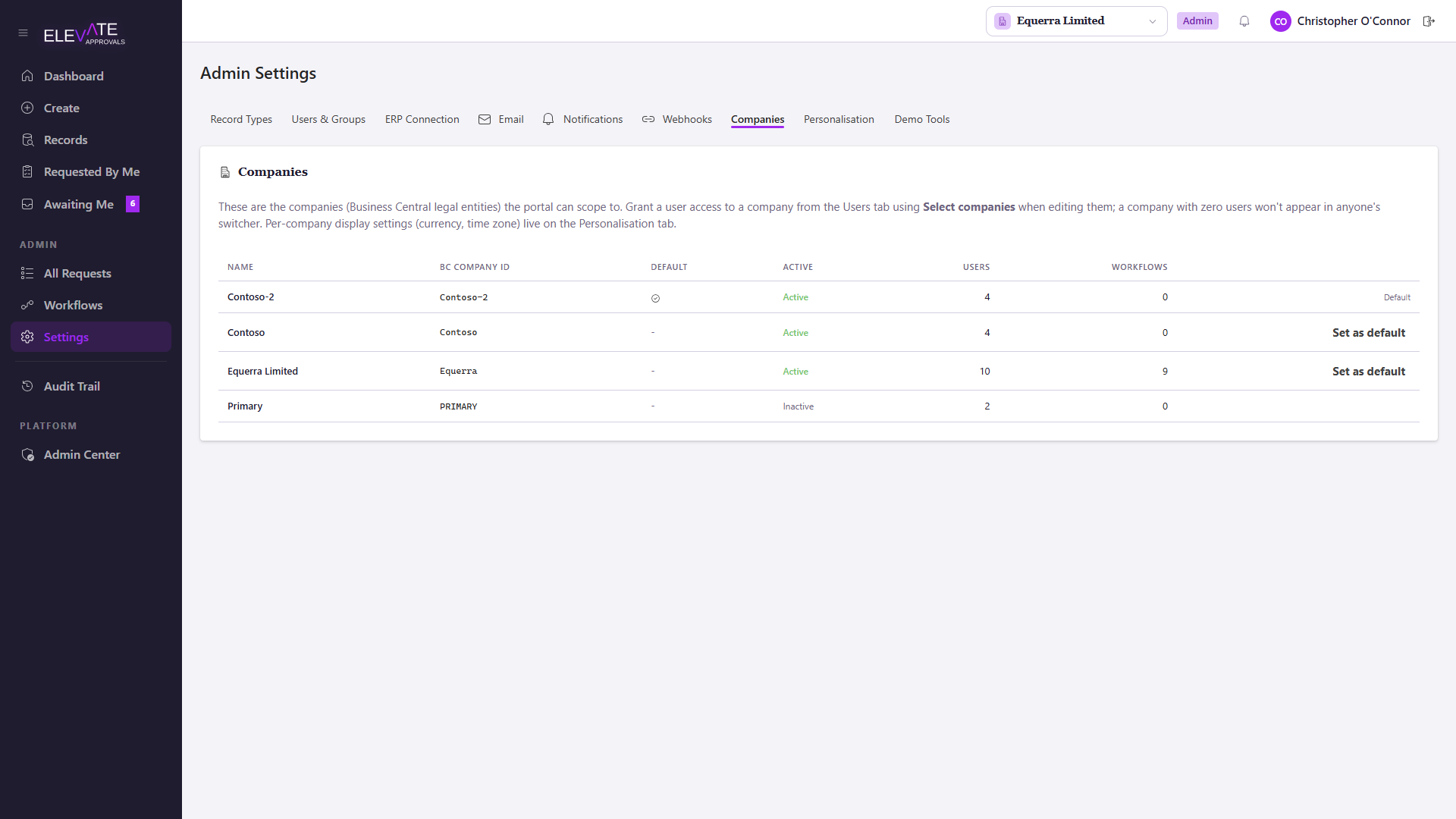
Effects of adding a company
Once more than one company exists:
- The portal shows a company switcher in the top bar.
- Most listings (requests, records, audit) scope themselves to the selected company.
- Workflows can be cloned per company. See Designing Workflows.
- Users can be granted access to a subset of companies from Users & Groups.
Per-company configuration
Each company carries:
- Name shown in the company switcher.
- Default currency and time zone.
- BC company id. The connector uses this mapping when pushing or pulling data so that the same code in one company is not confused with the same code in another.
Branding (logo, colours, tenant display name) is tenant-wide. Companies cannot override it.
Tenant default
The first company you create becomes the tenant default. Users with no explicit company access list see only the tenant default. Be deliberate about which company holds that role: changing it later does not retroactively grant or revoke access on existing users.