Delegation, Notifications and Audit
Delegation
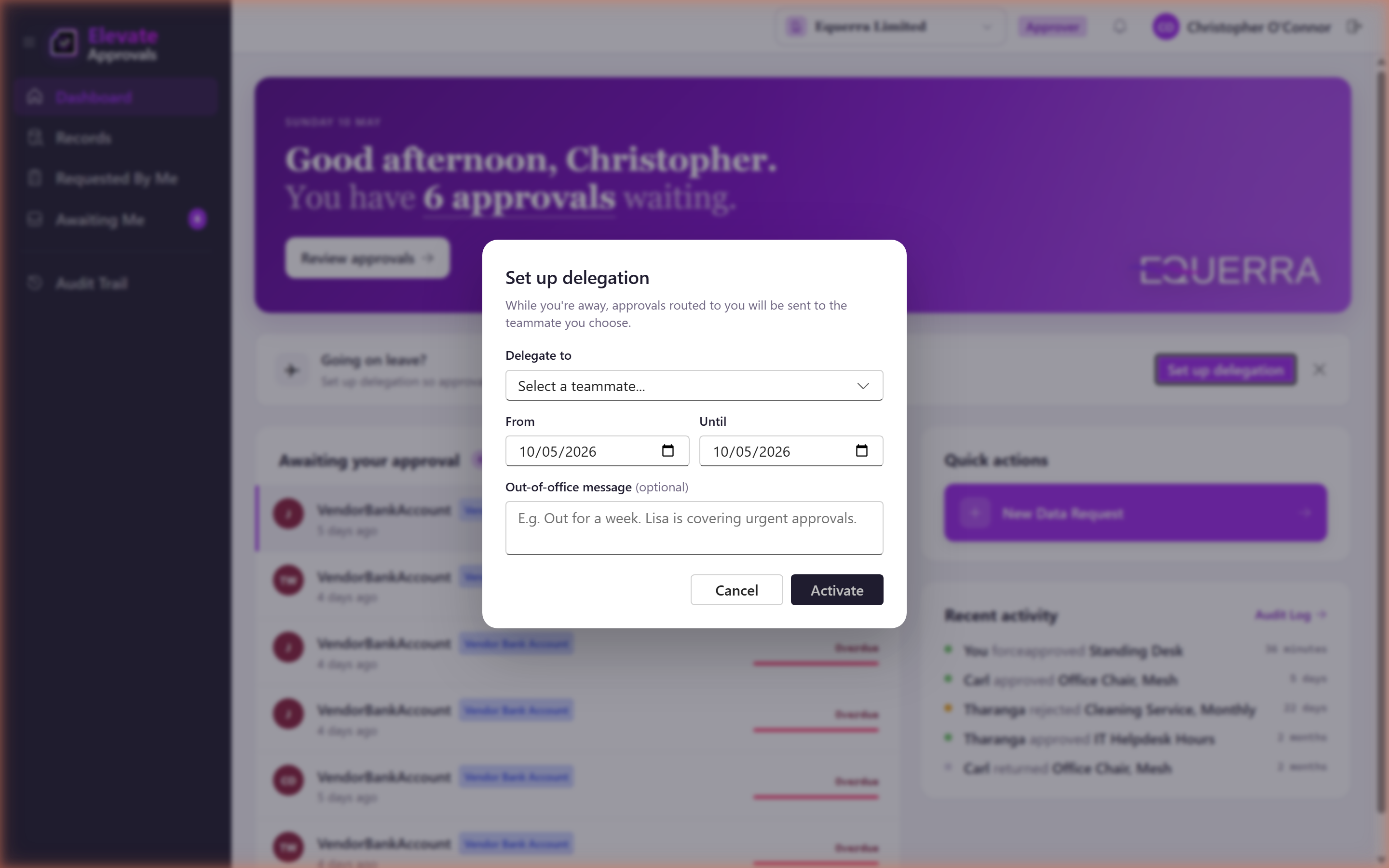
You can hand your approvals to another user while you are away.
- From the Dashboard, choose Delegate approvals.
- Pick the user, the start date and the end date.
- While the delegation is active, your approvals are also visible to the delegate. Either of you can act; the audit log records who actually clicked.
To stop the delegation early, choose Clear delegation on the dashboard or remove it from your profile.
The dashboard also shows a discovery banner when there are requests waiting for someone who is on leave; this prompts you to set up coverage proactively.
Notifications
Open Notifications using the bell icon to choose how you are alerted.
Frequencies:
- Immediate: each event triggers a notification straight away.
- Daily Digest: a single email per day with everything from the previous 24 hours.
- Off: do not send.
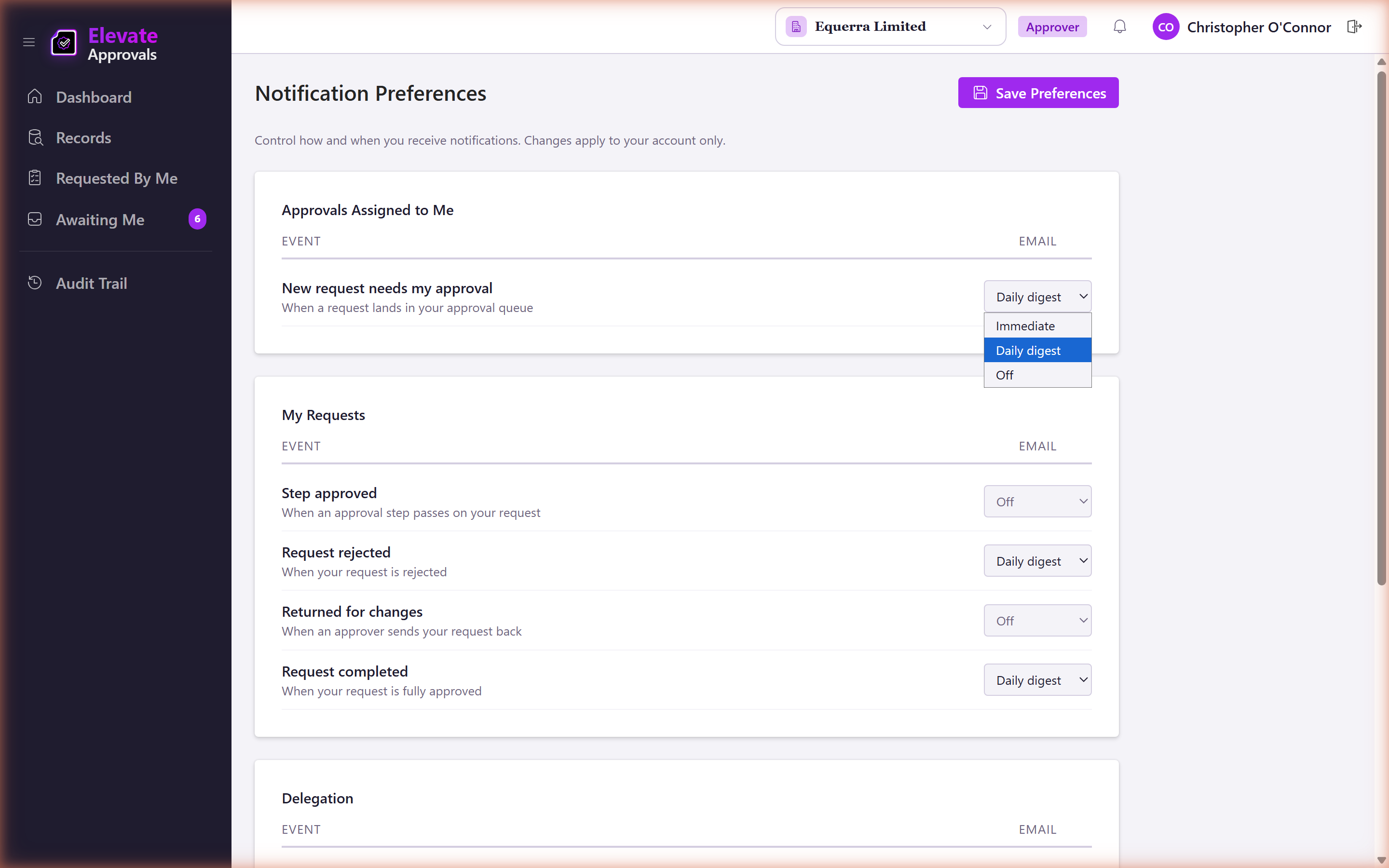
Per-event overrides let you, for example, get immediate emails for SLA warnings but only the digest for routine assignments.
Audit trail
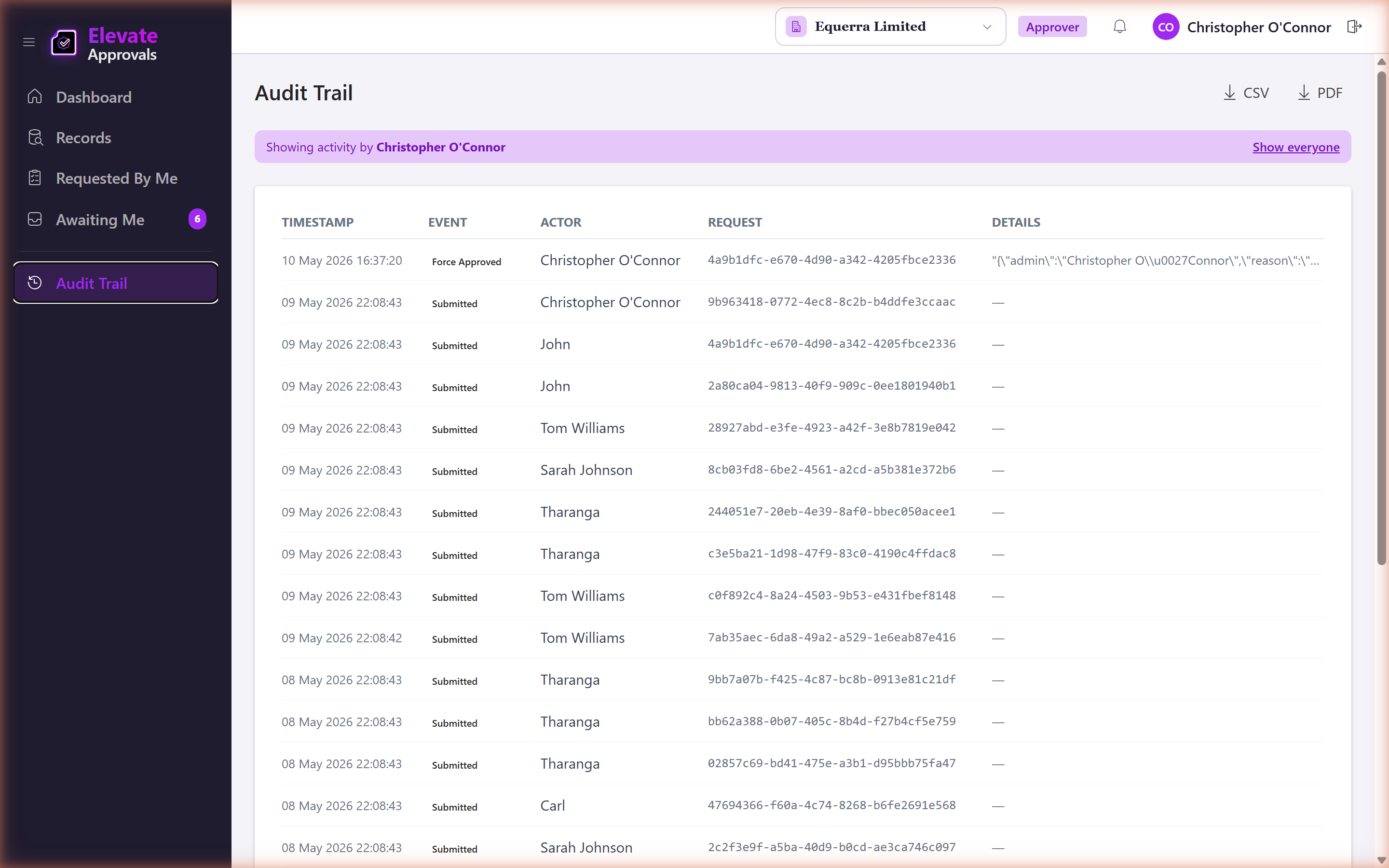
Approvers can open Audit Trail from the sidebar to see every state change in the tenant. The audit log is read-only. It is the single source of truth for who did what and when. If a request looks wrong, the audit log will tell you who last touched it. Actions taken by an Equerra Platform Admin under impersonation are clearly marked so you can always tell when Equerra was involved.
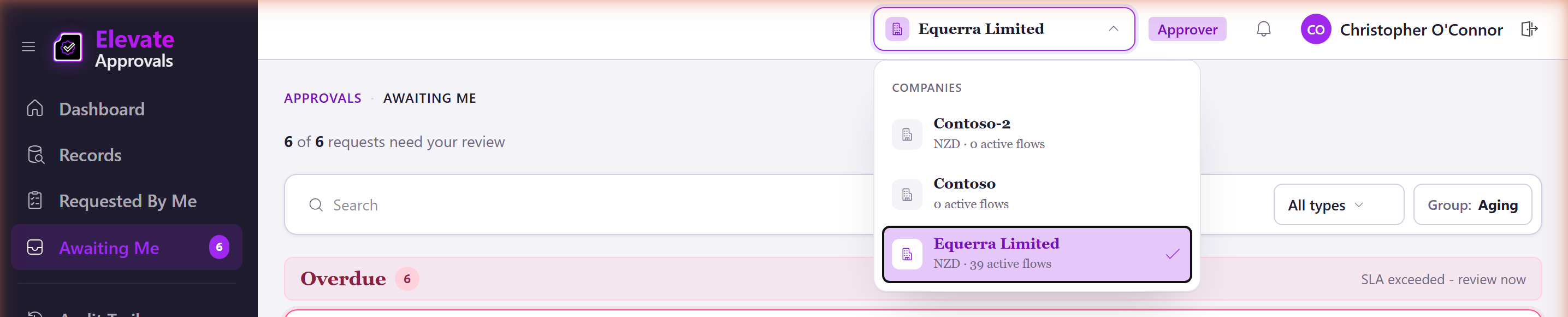
Multi-company
If your tenant runs more than one legal entity, the top bar has a company switcher. The Awaiting Me inbox is automatically scoped to the selected company. Switch company to see what is waiting on you in the others.