Update Company Information
The Update Company Information action bulk-applies a name prefix, badge text, badge style and environment creation date across one or all companies. It is intended to be run right after a sandbox is refreshed from production, so the environment is clearly identifiable.
Why Is This Important?
- Environment Awareness — clear names and badges help users instantly recognise which environment they are working in.
- Reduce Risk — visible labelling reduces the chance of entering test data in production or making changes in the wrong sandbox.
- Professionalism — well-labelled environments help administrators and consultants manage multiple tenants cleanly.
Important: This action is blocked in Production environments. It runs only in Sandbox / non-production environments. The user running it must also be on the Allowed Users list.
User Guide
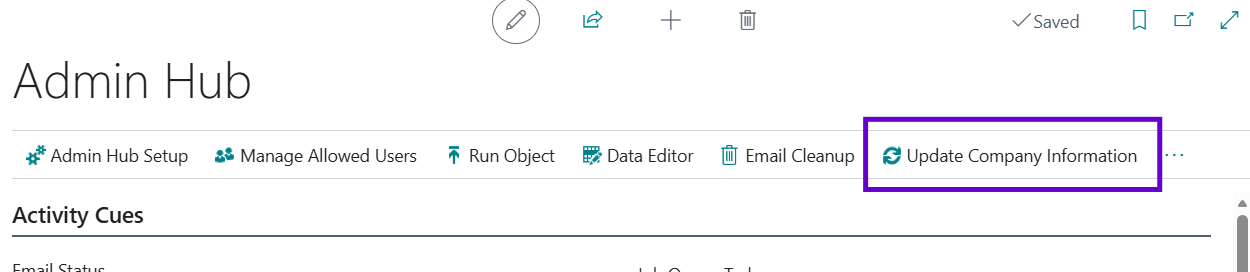
- Open the Admin Hub in Business Central.
- In the ribbon, click the Update Company Information action.
- Fill in the request page.
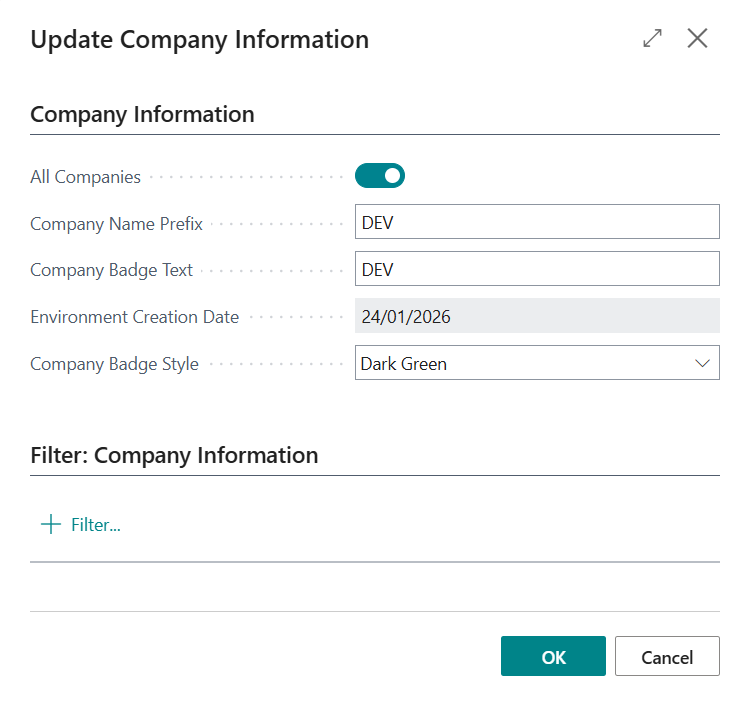
Request page fields
| Field | Description |
|---|---|
| All Companies | Apply the changes to every company in the environment, or only to the company you are currently signed into. |
| Company Name Prefix | Prepended to each company's display name (e.g. TEST or DEV). Leave blank to keep existing names. |
| Company Badge Text | Short label shown in the system indicator at the top of every page (e.g. SANDBOX). Leave blank to leave the current badge text untouched. |
| Environment Creation Date | The date the environment was created or last refreshed from production. Editable only until set for the first time. |
| Company Badge Style | Colour scheme of the system indicator. Only enabled when Company Badge Text is set. Options: Dark Blue, Light Blue, Dark Green, Light Green, Dark Yellow, Light Yellow, Red, Orange, Deep Purple, Bright Purple. |
-
Click OK. A confirmation message reports how many companies were updated.
-
Sign out and back in to see the new badge — the system indicator is cached in the browser session.
Result
The updated status badge with DEV in dark green:

The updated company name with the DEV prefix:
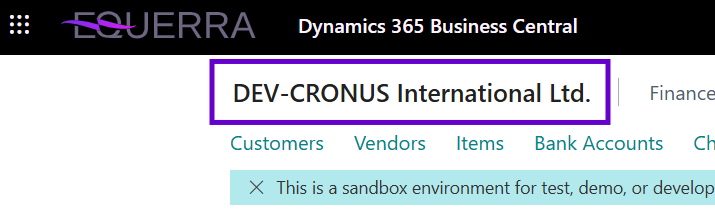
Environment Creation Date
The Environment Creation Date is also surfaced as a new field on the standard Company Information page (in the System Indicator group, sandbox only). It is locked to read-only once recorded for the first time, so the original refresh date is preserved.
Tip: You can personalise the Company Information page to reposition this field if your organisation prefers it elsewhere.
Best Practices
- Use clear, descriptive prefixes and badge text for each environment (e.g. PROD, UAT, DEV).
- Update company information once whenever you create or refresh an environment.
- Run Disable AAD Applications at the same time so external integrations stop authenticating against the new sandbox.