Run Object
The Run Object feature lets administrators launch any Business Central object — Page, Report, Codeunit, XMLport or Table — by ID, without needing a menu entry. It is available to all users from the Admin Hub.
User Guide
1. Accessing the Run Object Feature
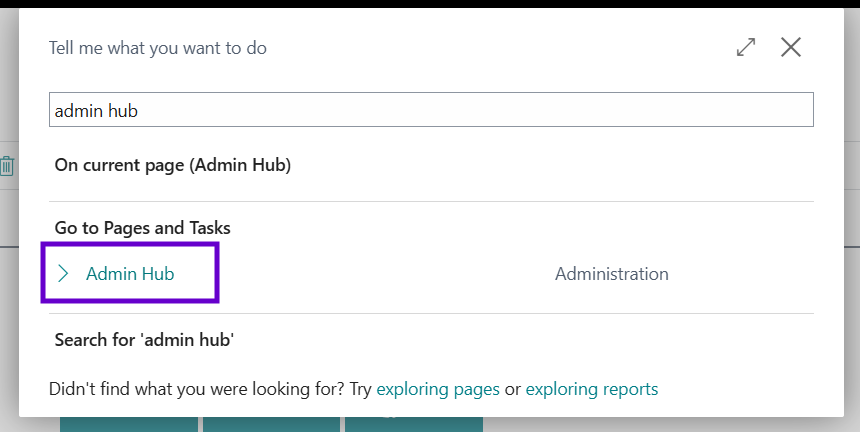
- Open the Admin Hub page in Business Central.
- In the ribbon, click the Run Object action.
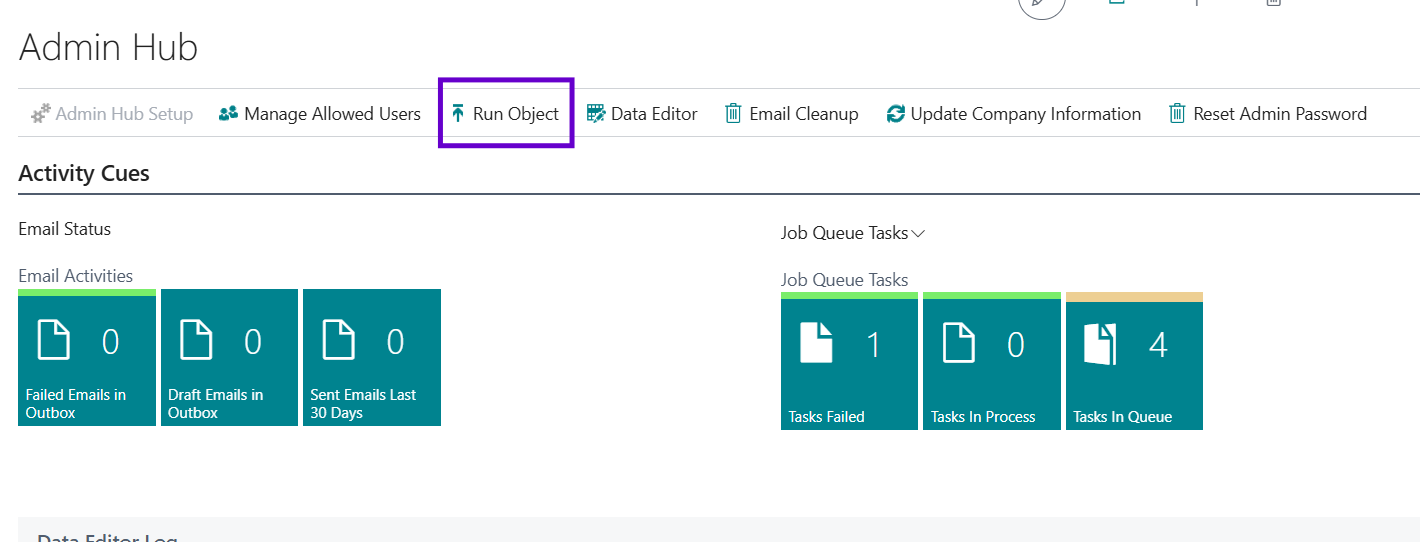
Note: Unlike the Data Editor and other privileged actions, Run Object is enabled for every user with the appropriate permission set — it does not require membership of the Allowed Users list.
2. Selecting the Object to Run
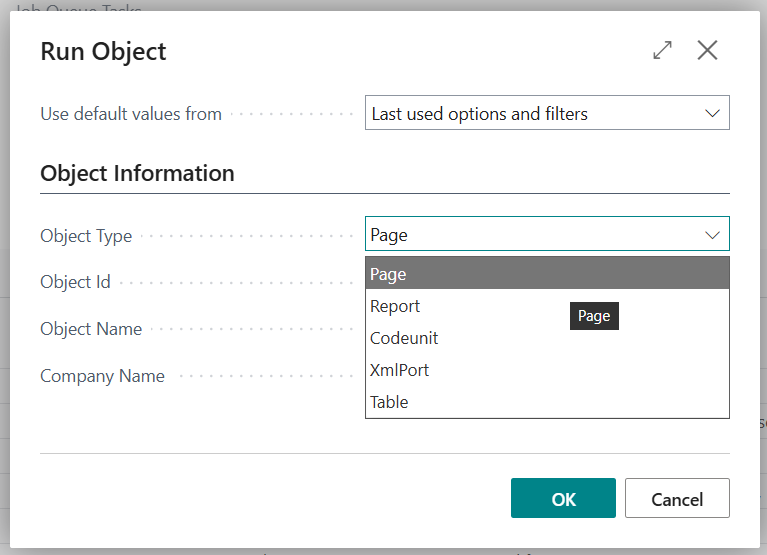
A dialog opens to specify the object.
| Field | Description |
|---|---|
| Object Type | The type of object to run: Page, Report, Codeunit, XMLPort or Table. |
| Object Id | The ID of the object to run. Use the lookup (…) to search by name, filtered by the selected Object Type. |
| Object Name | Read-only. Auto-filled from the selected Object Id. |
| Company Name | The company in which to run the object. Defaults to the current company. Ignored for Codeunits and XMLports. |
3. Running the Object
After confirming the dialog, the system executes the object:
- Pages — opens the selected page.
- Reports — runs the report (with its request page if applicable).
- Codeunits — executes the codeunit in the current company.
- XMLPorts — runs the XMLport in the current company.
- Tables — opens the table in a new browser tab as a read-only view.
Tip: The request page remembers the values from your previous run, so you can re-launch the same object quickly.
4. Permissions
To use Run Object, your user must be assigned the Run Object_ADM_EQL permission set. This grants execute access to the Run Object report, the Admin Hub, and the supporting codeunit.
5. Notes and Cautions
- Not every object is safe to run in production. Use caution with Codeunits and Reports that may modify data.
- Codeunits and XMLports always run in the current company — the Company Name field is ignored. Switch companies first if you need a different scope.
- The feature is intended for administrators and power users.